Y2K Aesthetic Photos: Get the 2000s Selfie Look With AI
Summary
Y2K aesthetic photos are having their biggest wave in 2026, and AI portrait tools can now recreate that early-2000s digital camera vibe, direct flash, frosted lip gloss, chrome accents, in under a minute. This breaks down the four Y2K sub-styles (pop princess, cyber, soft, mall goth), which AI tools actually nail the look, and what prep makes the difference between a viral selfie and a flat filter output.
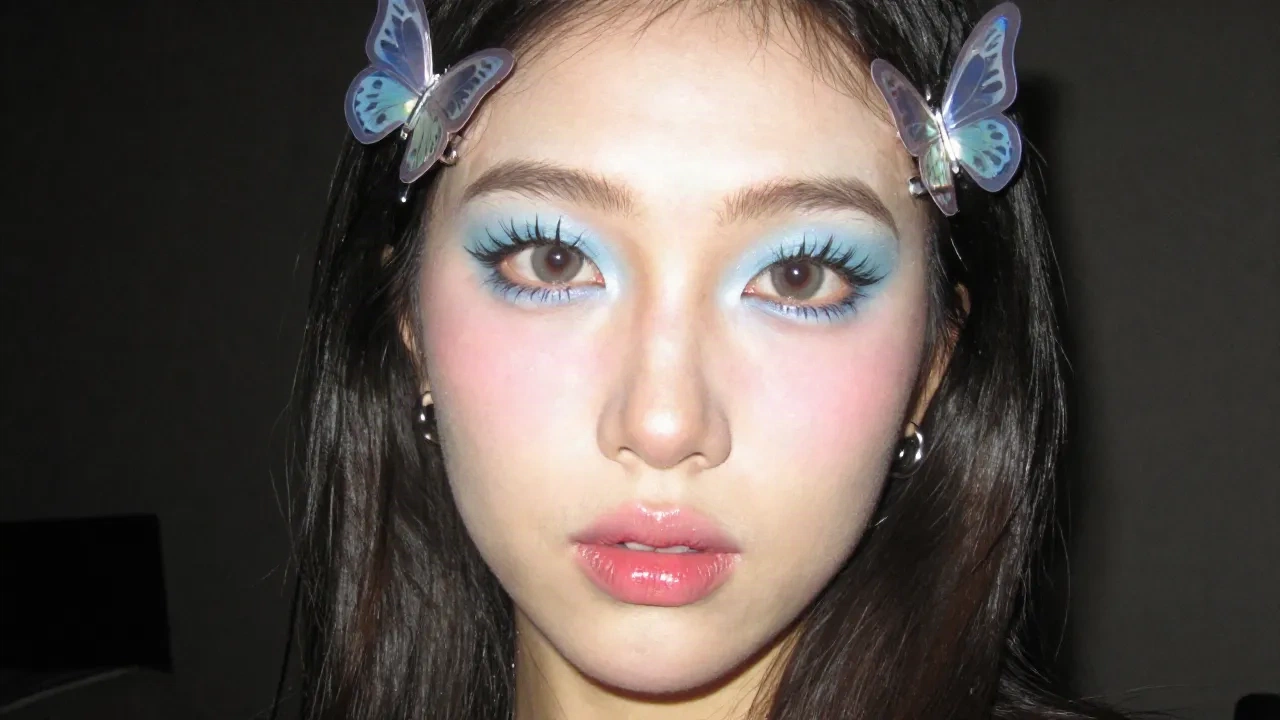
Y2K aesthetic photos are everywhere right now. Not in a casual trend way: in a "this has been building for months and just hit critical mass" way. If you've been on TikTok in August 2026 and haven't scrolled past a flash-overexposed selfie with chrome butterfly clips and frosted lip gloss, check your algorithm. AI portrait tools now recreate that early-2000s look with real precision. Here's what makes the aesthetic work, which tools deliver, and what kills the effect before it even starts.
What actually makes a photo look Y2K
It's not a color filter dropped on top. The Y2K aesthetic is a specific combination of technical artifacts from early digital cameras that became an aesthetic by accident and are now recreated on purpose.
Five signals that make a photo read as Y2K:
Direct flash that blows out skin highlights and crushes backgrounds into near-black. That harsh frontal light was an artifact of early 2000s point-and-shoot cameras. Now it's the signature.
Digital noise and slight JPEG compression. Not heavy film grain. A finer, crunchy texture that reads as "2003 Sony Cybershot." The difference matters: film grain is analog, Y2K grain is digital.
Frosted pastel palette: baby blue, icy lavender, pale pink. Colors that looked like a limited PS2 menu or a Britney Spears music video set.
Chrome accessories. Butterfly clips, metallic belts, holographic fabrics. Everything that had a reflective surface in the early 2000s, placed front and center.
Mirror selfie framing, with the flash lighting up the foreground and a chaotic bedroom or mall bathroom visible in the background. That specific framing functions almost like a timestamp.
AI portrait tools can now reproduce all five elements from a modern, clean selfie. The model reads your face, estimates the original lighting, and generates new image data, not a filter overlay. That's the actual news here.
The four Y2K sub-styles (pick yours before you generate)
Y2K is not one aesthetic. It breaks into four distinct sub-styles, and knowing which one you're going for before you upload makes a real difference in output quality.
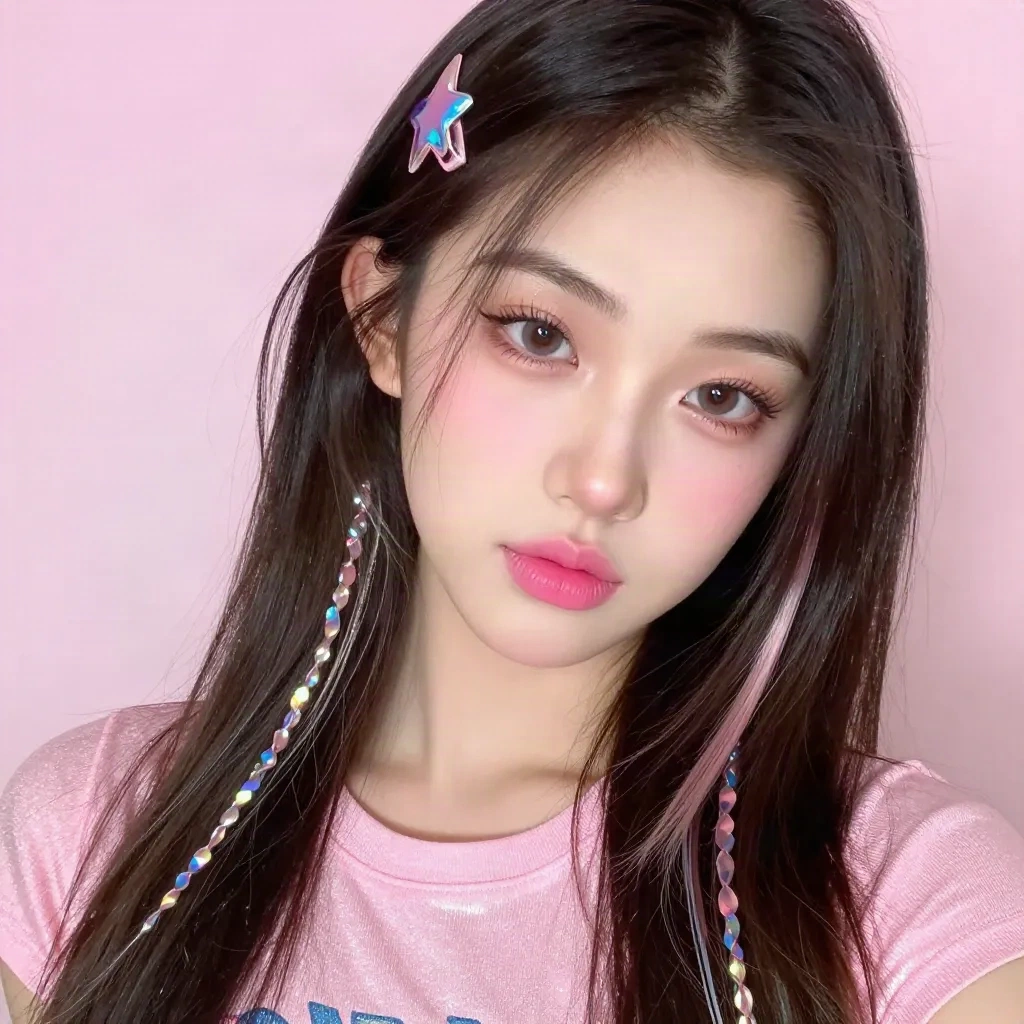
Pop princess. Frosted lips, crop tops, strong direct flash, sparkly everything. The most iconic version and the most searched. Think Hilary Duff-era mall photo booth. It's what most AI models default to if you don't specify, because it dominates the training data.
Cyber. Chrome, holographic fabrics, futuristic accessories. Less teen magazine, more Matrix lobby. Works especially well if you have strong cheekbones or jaw definition, since the metallic elements use facial structure as anchors. The contrast between cold chrome and warm skin tones can be striking when the AI gets it right.
Soft. Baby pink, plush textures, delicate styling. The version that collects the most saves on Pinterest. It's more forgiving on AI generation: less aggressive flash, simpler accessory placement, less compositional chaos. If you want a Y2K look that's easy to use as a profile photo, soft Y2K is the one.
Mall goth. Black mesh, dark eyeliner, platform boots, fishnet. The underdog of the family. When it renders well in AI it really renders well, specifically because the contrast dynamics (pale skin against dark styling) are exactly what these models handle best. Worth trying if you want something that doesn't look like everyone else's Y2K output.
One thing worth noting: pop princess and cyber tend to generate the most dramatic transforms, which can also mean more artifacts or inconsistencies on the first try. Soft and mall goth are more consistent. Run multiple outputs and pick the best one.
Why AI does this better than a TikTok filter
A TikTok Y2K filter shifts the color grading and adds an overlay. Works in real time, looks like a filter.
An AI portrait transform reads your specific face, the light in your source photo, and generates new image content. The flash effect is generated relative to your features. Chrome accessories get placed with spatial awareness. Noise texture is baked into the image instead of layered on top.
The difference shows on comparison. The filter version looks like a preset applied to a modern photo. The AI version looks like the photo was taken in 2002.
The trade-off: 30 to 60 seconds per image instead of real-time, you need an upload step, and the output is a still, not a video effect. For static posts, that's an easy call. For Reels, you still need a filter.
How to prep your selfie before the AI transform
Source photo quality matters more than people expect. The AI is not magic, it's a model trained on a pattern. Give it better input, get better output.
What actually works from real testing:
Front-facing selfie with even, soft lighting. A window with natural light works. Avoid harsh overhead fluorescents or strong side light. The model adds the flash effect during generation, so don't try to pre-simulate it in your source photo. That double-flash look almost never works.
Plain, neutral top. Solid colors, no loud prints. The transform replaces your outfit with Y2K-appropriate styling. A complicated print underneath creates edge artifacts where the old pattern bleeds through the new clothing generation.
Hair down or loosely styled. The AI layers butterfly clips, metallic accessories, and chunky highlights. If your hair is tightly pinned, the accessory placement either fails or generates a floating-hair artifact that's hard to miss.
Direct expression, looking into the camera. Side angles and three-quarter profiles work but produce less consistent results across different tools. Front-facing is the safest starting point.
One counter-intuitive thing: a very polished, professionally lit headshot often generates worse results than a casual selfie. The model was trained on real, imperfect photos. A studio-perfect input can produce output that reads as over-retouched rather than authentically Y2K. A decent phone selfie in good light usually outperforms a professional headshot here.
Three tools that actually work for Y2K aesthetic photos
Not all "Y2K filter" products are doing the same thing. Worth knowing the difference before picking.
Tools that apply a LUT (a color grading preset) are fast but shallow. They shift your palette toward Y2K tones and add some noise. Fine for casual use, not convincing to anyone who knows what real Y2K photos look like.
Tools using AI portrait transformation actually regenerate image content. Slower, significantly more convincing.
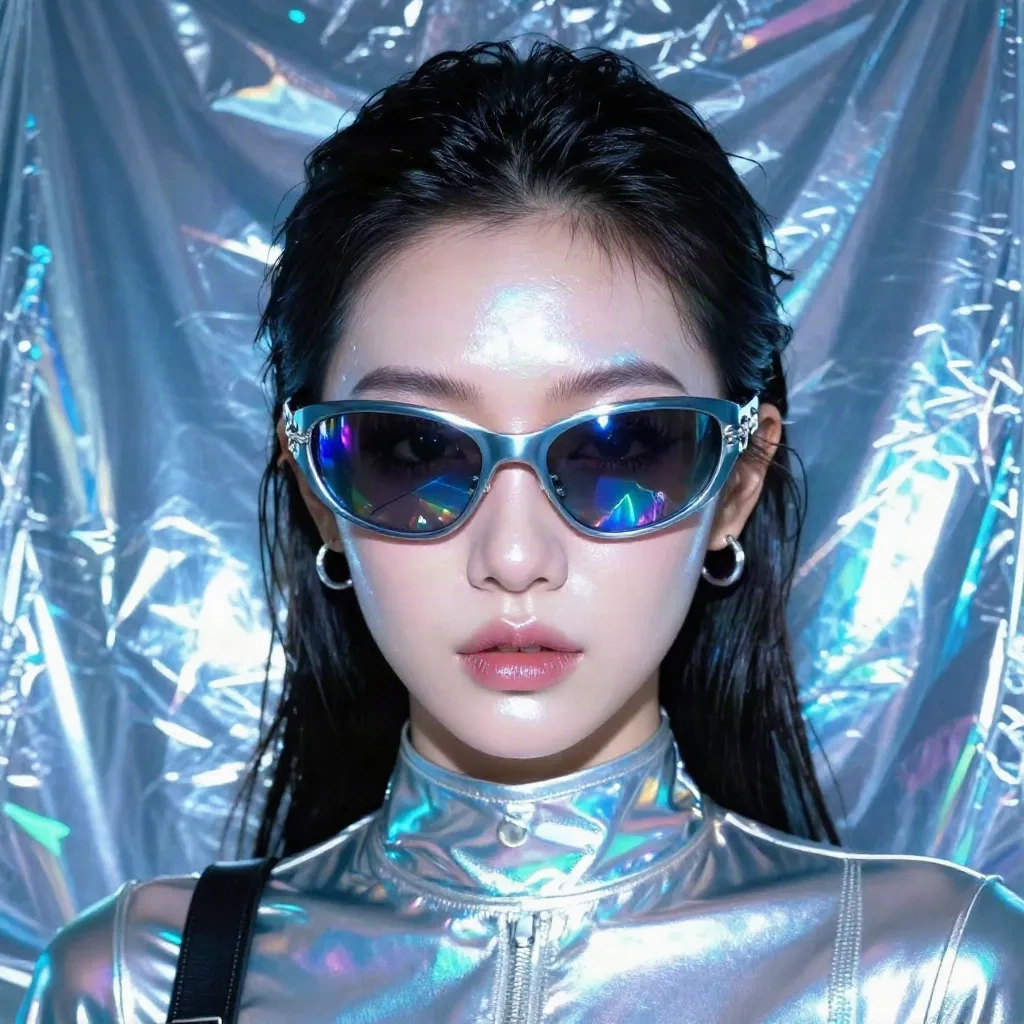
Facetopia has a dedicated Y2K mall teen style in its catalog of 180+ transformations. The chrome and holographic variants test especially well: the accessory placement is spatially coherent and the flash effect scales well across different skin tones. Free plan is 10 transforms per day. Pro is around $6/month for HD output and no limit.
OpenArt AI has a strong Y2K preset with sub-style targeting. It leans toward soft and cyber, lighter on the pop princess flash. Worth trying if you want the vaporwave-adjacent version of Y2K rather than the mall-pop mainstream version. The prompt interface is more flexible than most one-click tools.
Playground AI rewards prompt specificity. If you know you want 2003 Tokyo Fruits magazine Y2K versus early 2000s American mall teen Y2K, that difference can be expressed in a prompt and Playground will read it. Steeper learning curve than preset-based tools, wider output range. Best for creators who already have a specific vision.
The limits nobody talks about
AI Y2K portraits perform unequally across skin tones. Worth saying plainly.
The models trained on Y2K aesthetics pulled heavily from early 2000s media, which was not representative. The flash overexposure effect that's central to Y2K aesthetics can over-brighten, flatten features, or generate texture artifacts more frequently on darker skin. This is a documented issue with aesthetic AI models trained on skewed source data, not a problem specific to one tool.
The practical workaround: dial down flash intensity where the tool allows it, or use soft Y2K sub-style instead of pop princess. Mall goth actually performs more consistently on darker skin because its contrast dynamics work differently, darker styling against darker skin creates different but often more natural-looking results.
Hair accessories are another known limitation. The AI places butterfly clips and metallic accents well on straight or slightly wavy hair. On tightly coiled or very curly hair, the placement can look unnatural or the AI ignores the hair texture entirely and generates something visually incoherent. Again, not tool-specific. The training data shapes what the model handles well.
Knowing this before you generate saves frustration. It's not a reason to skip the aesthetic. It's a reason to run multiple outputs and check before you post.
This moment has a shelf life, and that's fine
Y2K aesthetic photos are trending hard right now in August 2026. That's not random. The early 2000s were 25 years ago, and nostalgia cycles run on roughly 20 to 25 year rhythms. Millennials who lived through Y2K are now content creators in their 30s revisiting the era. Gen Z is discovering it as novel vintage. Both dynamics are driving the current wave simultaneously.
The 25-year anniversary, the mainstream low-rise fashion resurgence, and algorithmic favorability on TikTok and Instagram have aligned in 2026 to push this further than previous Y2K revivals.
How long does it last? Y2K as an aesthetic category has more staying power than a single filter trend, but the search volume peak will soften. "AI Yearbook" ran hot for six weeks in 2023 before dropping significantly. Y2K has more depth than a single filter but it's not immune to the trend cycle.
If your content is trend-chasing, the window is now. If you're building a feed aesthetic around Y2K because it genuinely fits your identity and creative direction, it'll still be coherent and visually strong in two years. The aesthetic existed before the TikTok cycle and it'll exist after it.
The AI tools are working, the sub-styles are defined, and the content is performing. Whether you're in it for the moment or building something more durable, now is a good time to test it.